
Save and share
Satellite SOS: practice before the storm
Learn the emergency satellite feature on your supported phone while conditions are safe.
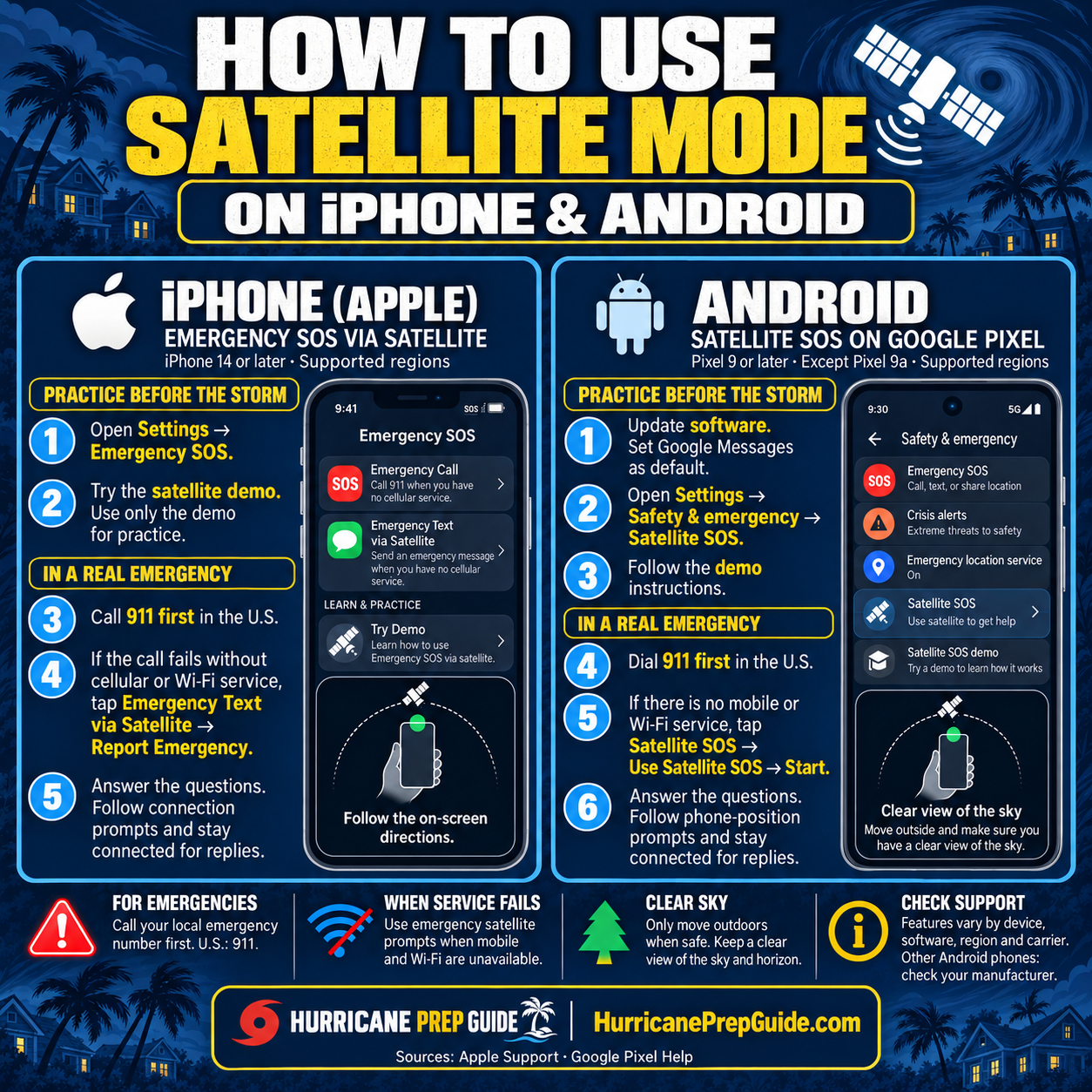
Phone screens are illustrations; menus may vary by model and software.
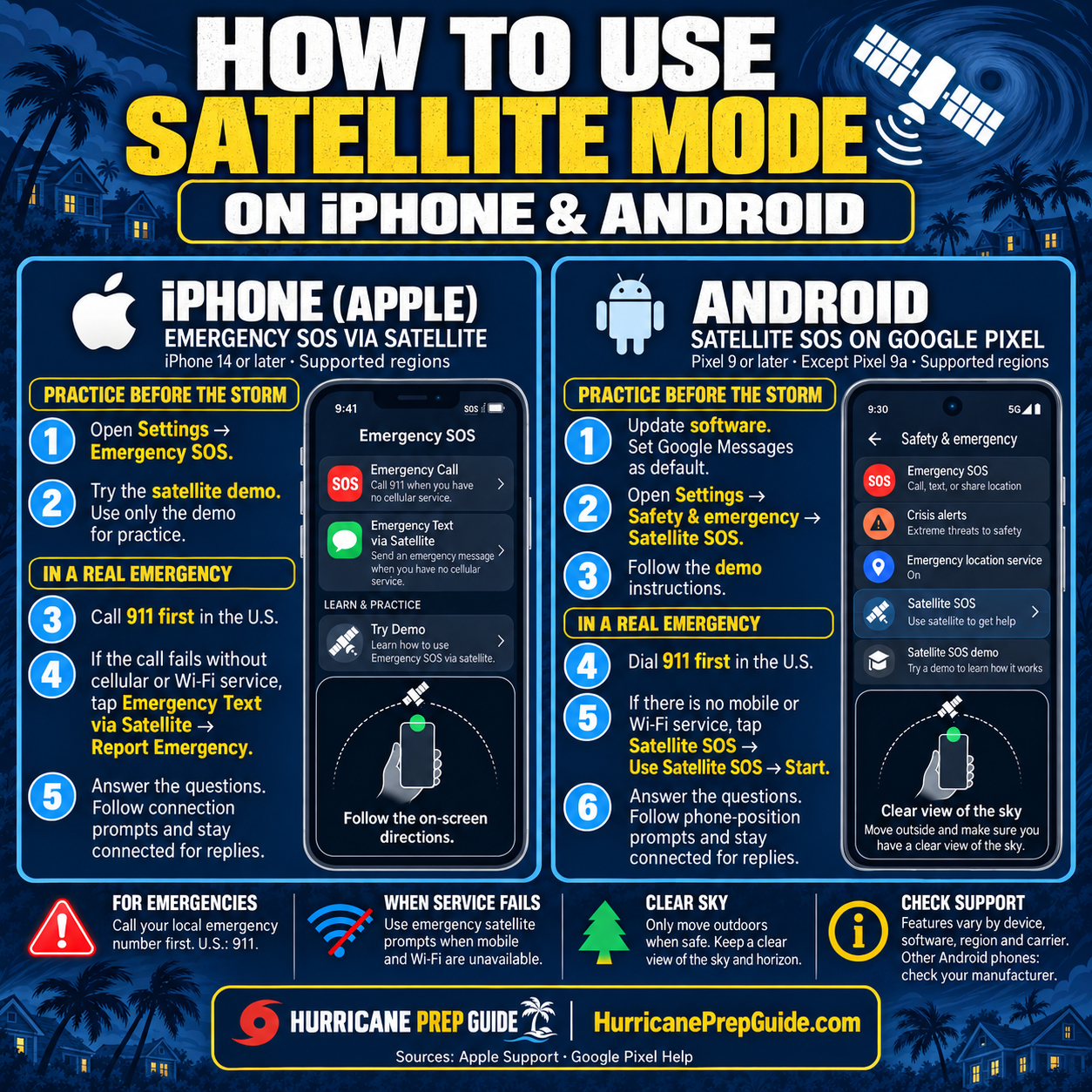
Key reminders
- Use only the demo for practice. Do not call 911 or start a real SOS as a test.
- Supported iPhones: open Settings → Emergency SOS and try the satellite demo.
- Supported Google Pixels: open Settings → Safety & emergency → Satellite SOS and follow the demo. Pixel 9a is excluded.
- In a real emergency, call your local emergency number first (911 in the U.S.). If the call cannot connect without mobile or Wi-Fi service, follow the phone’s Satellite SOS prompts.
- Only move outdoors when safe. Satellite connections need a clear view of the sky and horizon.
- Availability depends on location, device, and software. Other Android phones require manufacturer and carrier support.
Related supplies
Compare phone-power options
Check your existing power bank and cables. Compare charging options if your kit needs them.
Browse suppliesThe supplies page includes Amazon affiliate links. As an Amazon Associate I earn from qualifying purchases.